
macOS 27's AI dev ecosystem — and pointing 4D AIKit at a local model 🍎
For a year, Apple’s on-device model was walled off — reachable only from Swift, only inside an app you built in Xcode. macOS 27 tears that wall down. The same Foundation Models are now scriptable from the terminal and from Python, and there’s a real framework story forming around them. Three pieces worth your attention.
Two models: System and PCC
There’s now a hybrid setup with two tiers:
system— the on-device Apple Foundation Model. Default, free, fully private, nothing leaves the Mac.pcc— a larger model on Private Cloud Compute. More capable, but subject to daily usage limits (higher caps come with paid iCloud+ tiers).
You pick per call, so the cheap private one is the default and you reach for PCC only when a task needs the extra horsepower.
The fm CLI
fm comes pre-installed with macOS 27 — no install, just update and type fm.
It’s built for scripting and automation, not just chatting:
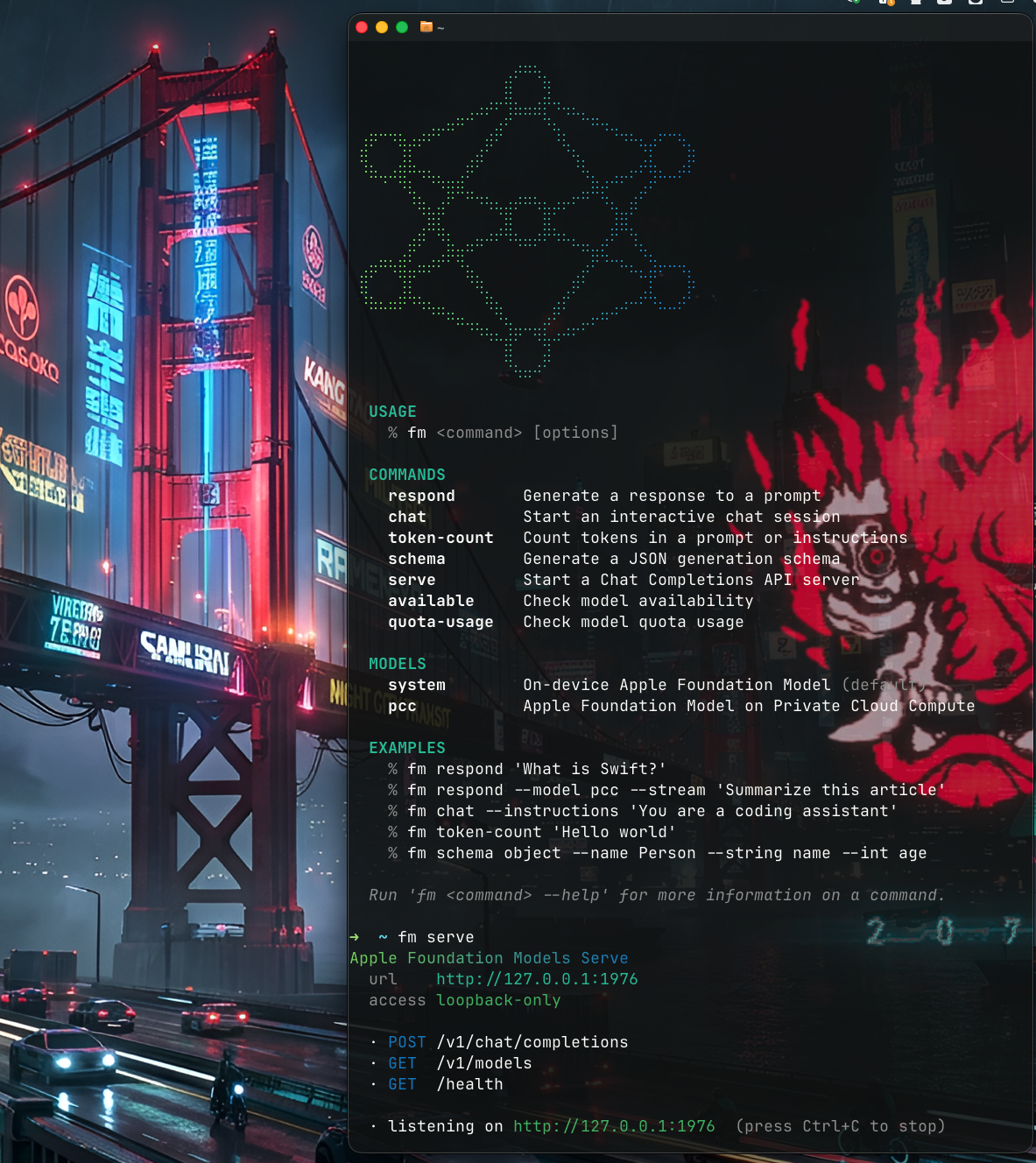
The commands cover the obvious ground — one-shot generation, interactive chat, token counting, JSON schema generation, plus availability and quota checks:
fm respond 'What is Swift?'
fm respond --model pcc --stream 'Summarize this article'
fm chat --instructions 'You are a coding assistant'
fm token-count 'Hello world'
fm schema object --name Person --string name --int age
The part that matters: fm serve
Here’s the one most WWDC recaps skipped. fm serve starts an
OpenAI-compatible Chat Completions server, loopback-only:
url     http://127.0.0.1:1976
access  loopback-only

  · POST /v1/chat/completions
  · GET  /v1/models
  · GET  /health
OpenAI-compatible is the magic word. It speaks the same /v1/chat/completions dialect
as every other provider, so any software or library that already talks to an
OpenAI-style API can point straight at it — your existing client, SDK, agent
framework, or tool, unchanged beyond swapping the base URL to
http://127.0.0.1:1976/v1. Whatever you’ve already wired up for OpenAI now drives an
Apple Foundation Model (on-device or PCC), with no API key and no cloud bill.
For me that lands on 4D AIKit: point its base URL at the local server and the same 4D code I’d aim at a remote provider runs against a local model, no new component. But the point is general — anything OpenAI-compatible gets a free local backend. That’s a genuinely useful default for prototyping, and for anything privacy-sensitive, maybe the production default too.
For the Python crowd, there’s also an official Foundation Models SDK for Python.
Core AI + a maturing Foundation Models framework
Alongside the CLI, Apple shipped Core AI — a framework for running AI models directly in your app on Apple silicon — and a solid round of upgrades to Foundation Models. The framework now has the pieces that were missing: tool calling, context and conversation history, multimodal input (images, vision), and server-model access behind the same Swift API. It’s starting to look like something you’d actually ship on, not just demo.
Worth reading
- Build AI-powered scripts with the fm CLI and Python SDK — WWDC26 session 334
- Core AI — Apple Developer Documentation
- Foundation Models framework
- python-apple-fm-sdk
The pattern, again: a model that used to be locked inside one language and one app becomes a local server speaking a standard dialect — and the moment it does, every tool that already speaks that dialect (AIKit included) gets it for free. 🍎
EDIT — wait, I had fm first 😅
Funny postscript: I’d already built my own fm. Back when I wrote the
Apple Foundation Models post (mid-2025), I made a
little command-line tool — phimage/FoundationModelCli
— specifically so I could type fm and poke at Foundation Models from the terminal.
A year later Apple shipped a CLI with the exact same name. No collision, no hard
feelings… but for the record, I was running fm first. 🙂
← Back to all writing